
- Download the Alpine Client: alpine-2.26 zip file, https://alpineapp.email/alpine/release/src/alpine-2.26.zip
2. Once downloaded, extract the file
3. after extracting the file open the folder and select alpine

4. on first launch, Alpine may display a brief setup wizard, accept the defaults or skip and configure settings manually via Setup menu later.
you may see errors in the main menu via blur bar below depending if you skipped past the wizard regarding return address mail, incomplete mail domain and no inbox, these can be fixed in the settings
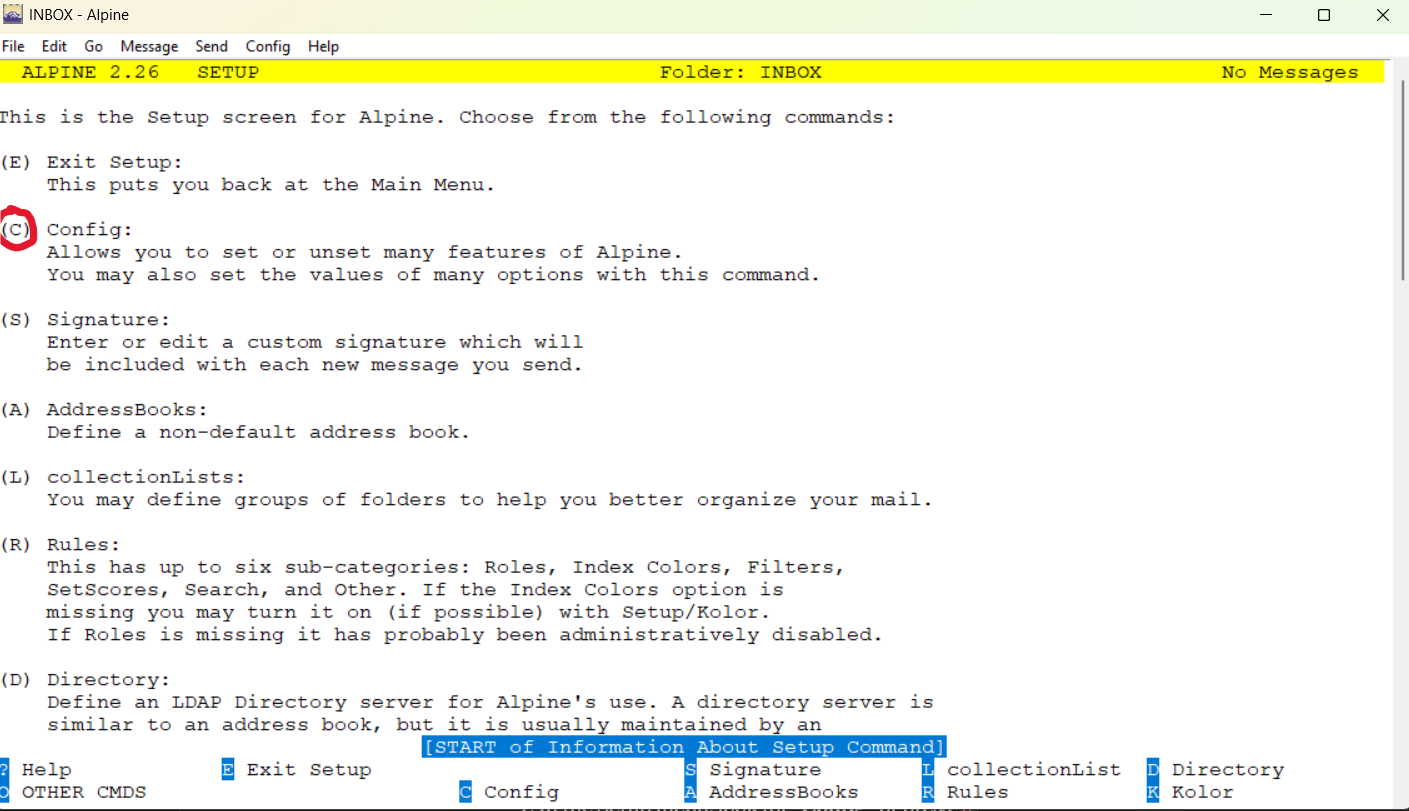
5. to setup the mail client go to Setup> Config

6. Inside config put in the following marked by red arrows (input your own email and remove what you see for Fcc)
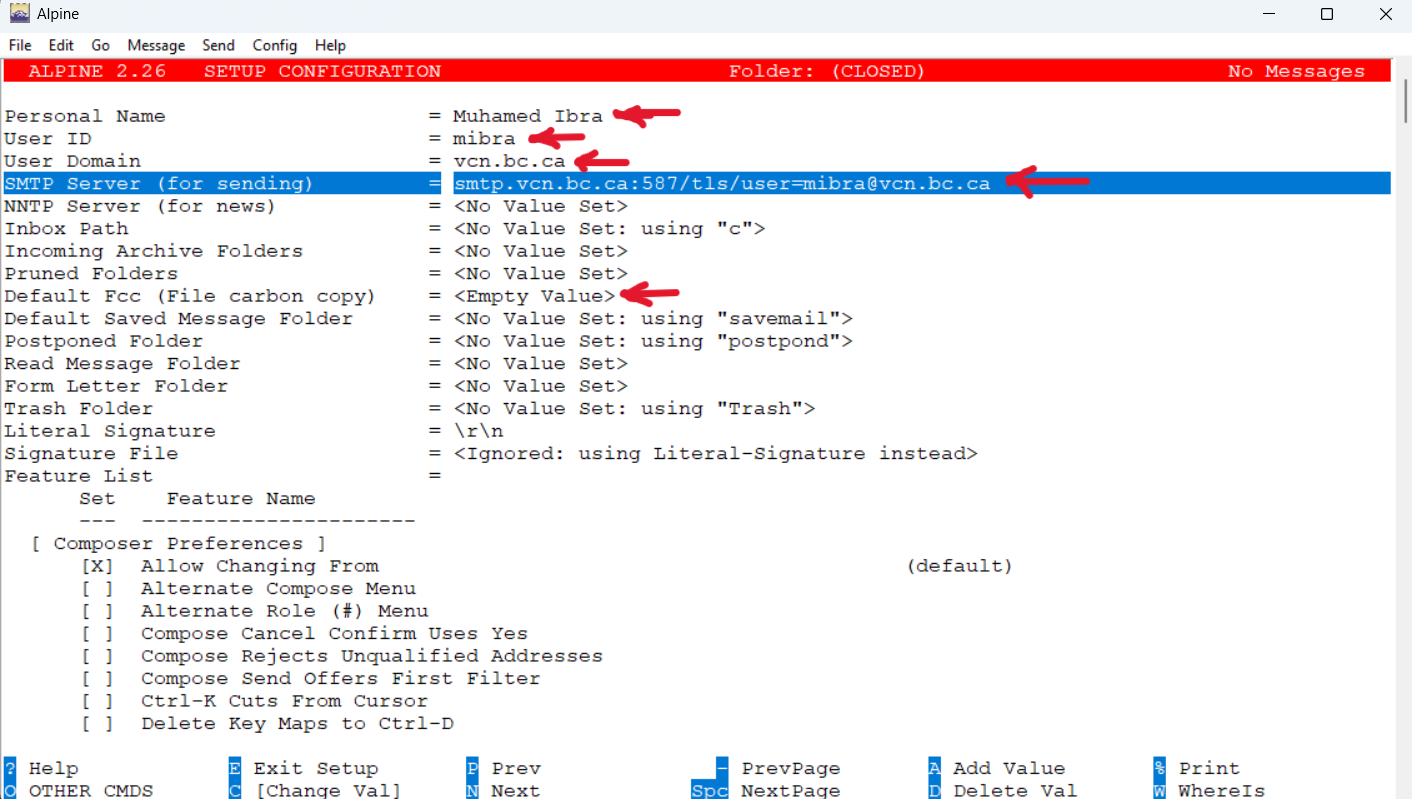
Once finished press E to exit, Y to save changes and Q exit alpine for changes to take place
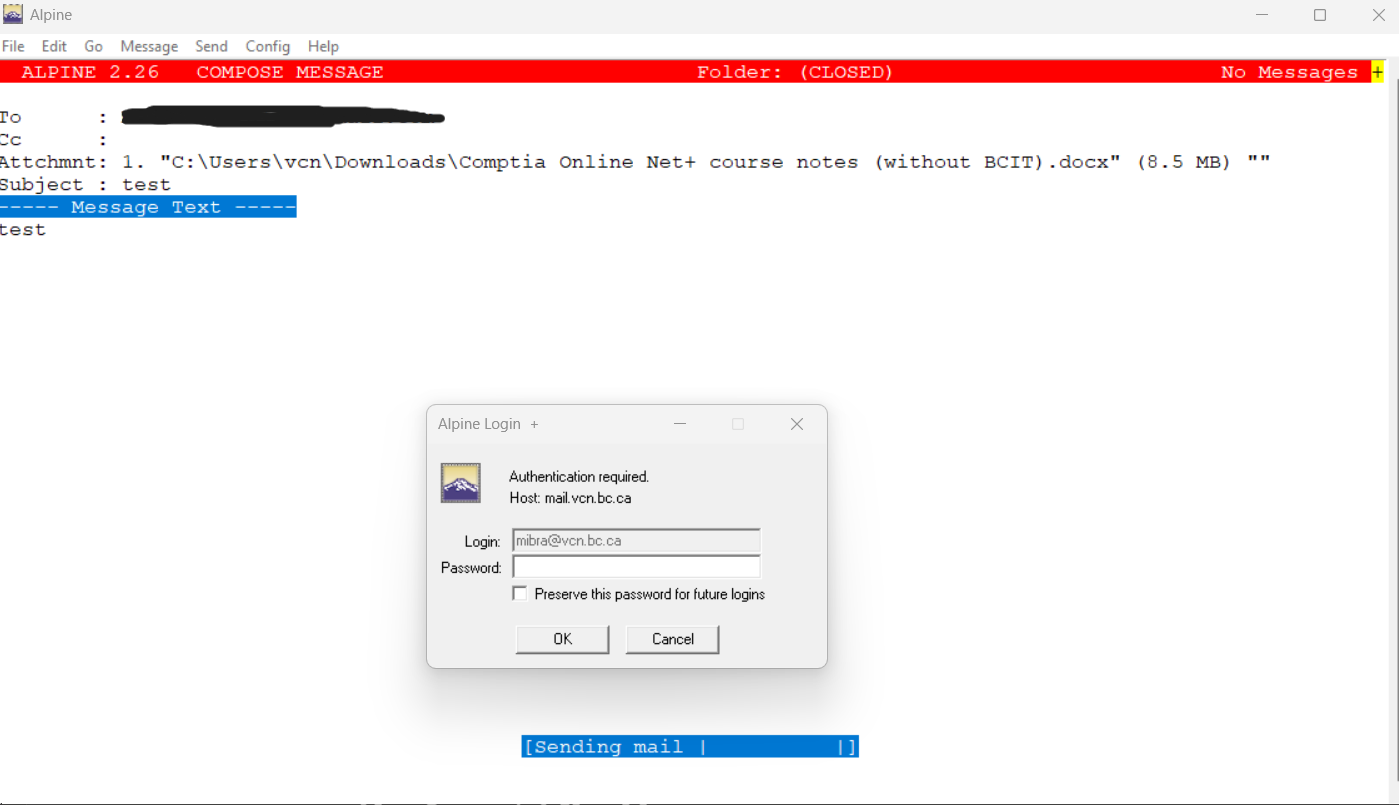
7. Open Alpine again and select option C to compose your mail and send it to your personal or test account
you will be asked next to input the password for your applied email
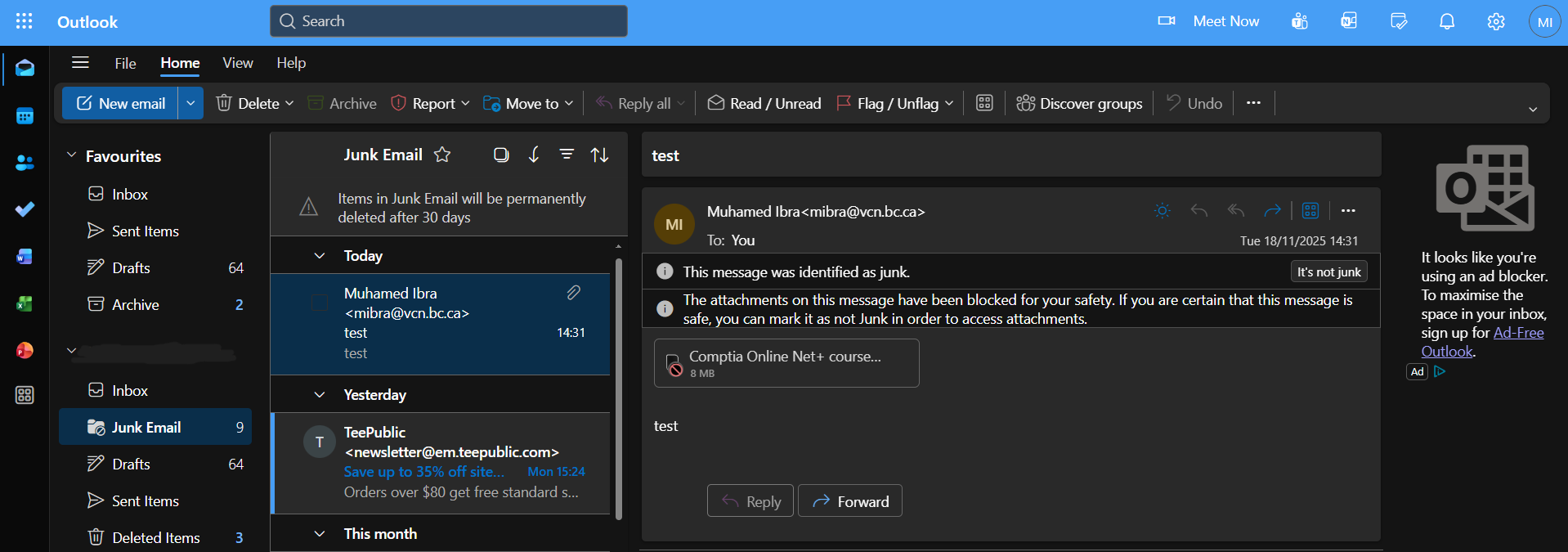
8. check your junk folder first as your email most likely may appear there